ChatGPT 배경화면 · 크롬 확장ChatGPT Wallpaper · Chrome Extension
ChatGPT 배경화면을
내 이미지로
Set a Custom
ChatGPT Wallpaper
아무 이미지나 GIF를 ChatGPT 배경으로 올리거나, 커뮤니티 배경화면을 골라 적용하세요. 유리(글래스) 블러와 투명도를 조절해 글자는 또렷하게 유지됩니다. 가벼운 무료 크롬 확장입니다. Upload any image or GIF as your ChatGPT background, or pick a community wallpaper. A glass blur with adjustable opacity keeps the text crisp and readable. A lightweight, free Chrome extension.
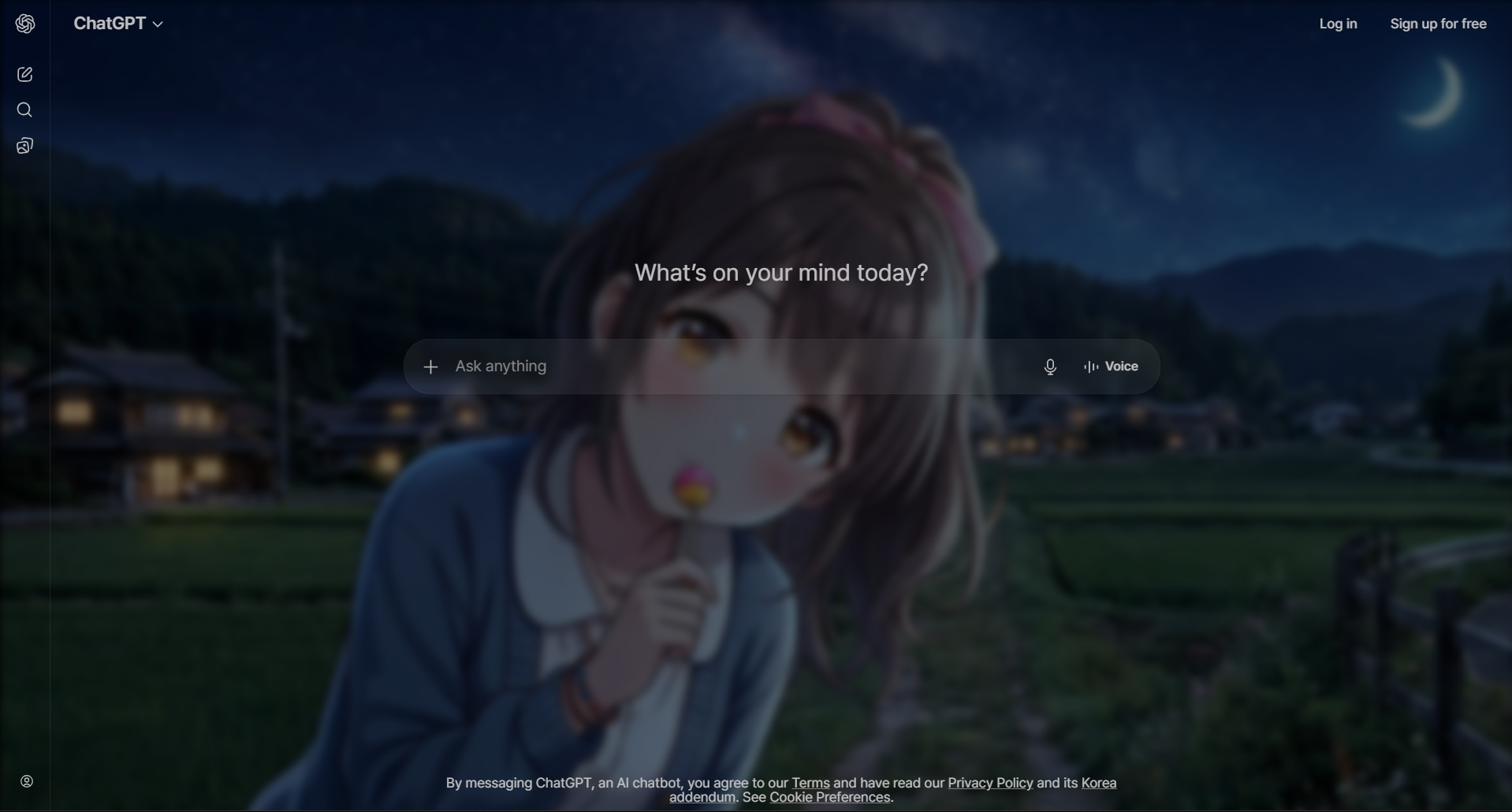
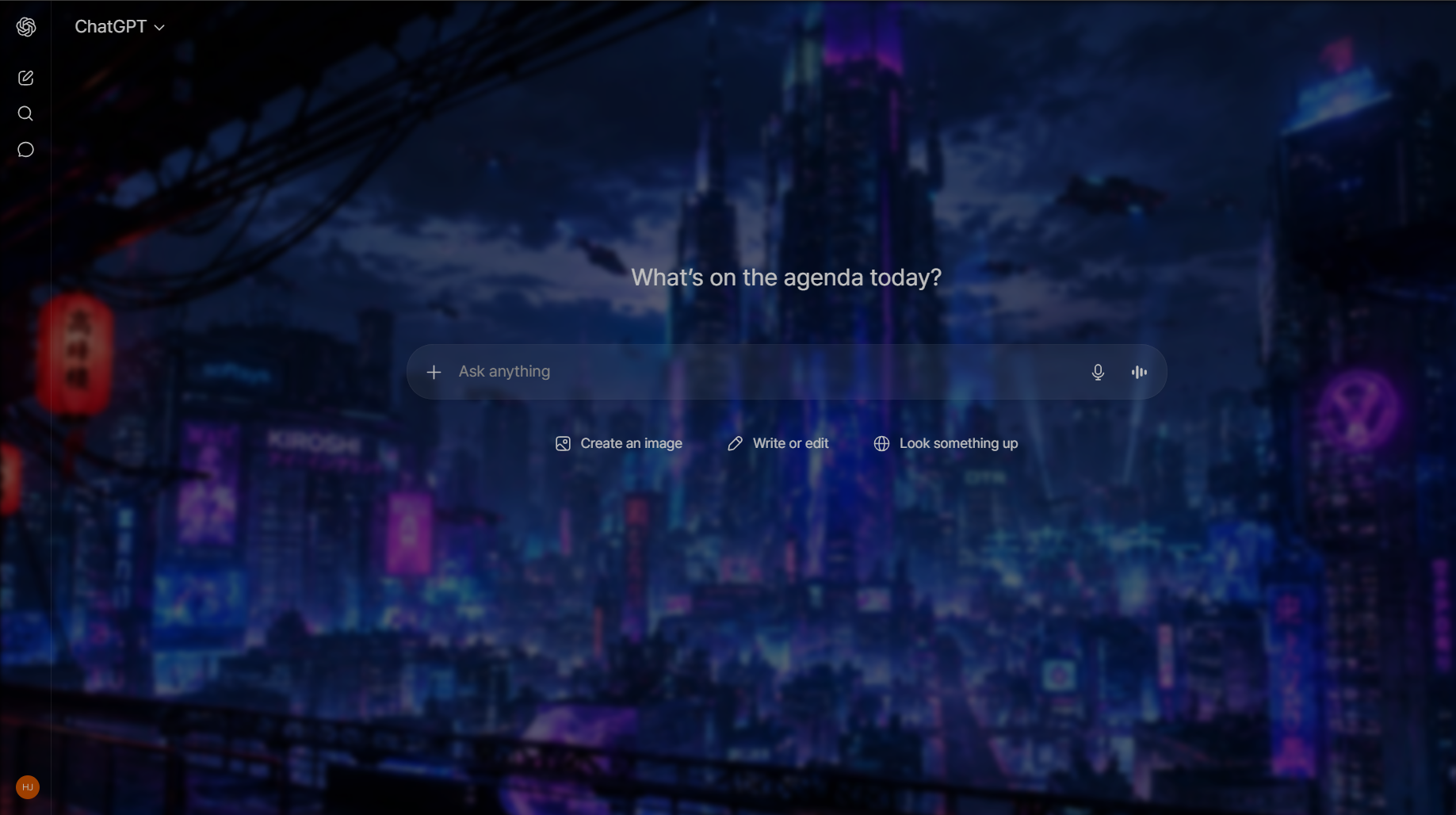
어떤 이미지든 ChatGPT 배경으로Any image, as your ChatGPT background
단색 배경은 이제 그만. 좋아하는 사진, 아트워크, 움직이는 GIF까지 ChatGPT 배경화면으로 올리고, 글래스 효과로 가독성까지 지키세요. No more flat backgrounds. Drop in a favorite photo, artwork or animated GIF as your ChatGPT wallpaper — and keep it readable with the glass layer.
이미지 · GIF 업로드Upload image or GIF
고해상도 사진과 움직이는 GIF 배경 모두 지원합니다.High-resolution photos and animated GIF backgrounds are both supported.
가독성 유지Stays readable
유리 블러·투명도·색상 오버레이가 배경과 글자 사이를 부드럽게 분리합니다.Glass blur, opacity and color overlay separate your wallpaper from the text.
가볍고 부드럽게Light & smooth
GIF·고해상도 배경에서도 스크롤이 매끄럽도록 최적화했습니다.Optimized so scrolling stays smooth even with GIF and high-res backgrounds.
직접 만들거나, 골라 쓰거나Make your own, or pick one
커뮤니티 배경화면 갤러리Community wallpaper gallery
다른 사용자가 올린 ChatGPT 배경화면을 클릭 한 번으로 적용하거나, 내가 만든 배경을 공유하세요.Apply ChatGPT wallpapers made by other users in one click — or share your own creations.
- 움직이는(모션) 배경 지원Animated (motion) wallpapers
- 저장 가능한 배경 프리셋 (Pro)Saved wallpaper presets (Pro)
- ChatGPT·Claude·Gemini 동시 지원Works on ChatGPT, Claude & Gemini
3단계로 시작Get started in 3 steps
확장 설치Install the extension
Chrome 웹 스토어에서 Chroma AI를 무료로 추가하고 고정하세요.Add Chroma AI free from the Chrome Web Store and pin it.
ChatGPT 열기Open ChatGPT
평소처럼 chatgpt.com에 접속합니다.Visit chatgpt.com as you normally would.
이미지 업로드Upload your image
사이드바에서 이미지나 GIF를 업로드하면 즉시 배경으로 적용됩니다.Upload an image or GIF from the sidebar and it's applied as your background instantly.
배경화면 규격 — 크기·형식·용량Wallpaper specs — size, format and file size
특별히 준비할 건 없습니다. 어떤 이미지든 화면에 맞춰지니까요. 다만 조금만 신경 쓰면 결과가 눈에 띄게 좋아집니다. You don't need to prepare anything special — any image will be fitted to your window — but a little care produces a noticeably better result.
- 비율: 16:9가 대부분의 노트북·데스크톱 화면과 맞습니다. 잘려나가는 부분이 가장 적어서, 썸네일에서 마음에 들었던 부분이 실제로도 보입니다.Aspect ratio: 16:9 matches most laptop and desktop screens and crops the least, so the part you liked in the thumbnail is the part you actually see.
- 해상도: 1920×1080이 대부분에게 적당하고, 고해상도·울트라와이드라면 2560×1440이 낫습니다. 화면 해상도를 크게 넘어가면 메모리만 더 쓰고 보이는 차이는 없습니다.Resolution: 1920×1080 is the sweet spot; 2560×1440 for high-DPI or ultrawide displays. Going far beyond your screen resolution costs memory without looking better.
- 형식: 사진은 JPG(용량 작고 배경 크기에서는 손실이 안 보임), 선명한 경계나 단색면이 필요하면 PNG. WebP도 지원되며 보통 가장 작습니다.Format: JPG for photographs, PNG when you need crisp edges or flat colour fields. WebP works too and is usually the smallest.
- 움직이는 배경: GIF를 지원하고 공유하면 MOTION 뱃지가 붙습니다. 다만 느린 움직임이 핵심입니다. 천천히 흐르는 구름이나 비는 분위기로 읽히지만, 빠른 움직임은 집중할 때마다 시선을 빼앗습니다.Animated: GIF is supported and gets a MOTION badge when shared — but slow is the key. Drifting clouds or gentle rain read as ambience; fast motion pulls your eye away every few seconds.
- 용량: 5MB 이하를 권합니다. 아주 큰 GIF가 스크롤이 무거워지는 가장 흔한 원인입니다 — 작업하는 동안 브라우저가 계속 프레임을 디코딩해야 하니까요.File size: under about 5 MB keeps things snappy. Very large animated GIFs are the main cause of sluggish scrolling, since the browser keeps decoding frames while you work.
어떤 이미지가 실제로 잘 어울리는지, 그리고 공유해도 되는 이미지는 어디서 구하는지는 배경 선택 가이드에 자세히 정리했습니다. Which images actually work behind a chat — and where to find ones you're allowed to share — is covered in the background selection guide.
자주 묻는 질문ChatGPT wallpaper FAQ
Q. ChatGPT에 배경화면을 어떻게 설정하나요?Q. How do I set a wallpaper on ChatGPT?
무료 Chroma AI 확장을 설치하고 ChatGPT를 연 뒤 아이콘을 클릭, 이미지나 GIF를 업로드하면 배경으로 적용됩니다. 블러·투명도로 가독성을 맞추세요.Install the free Chroma AI extension, open ChatGPT, click the icon, and upload any image or GIF as your background. Adjust blur and opacity for readability.
Q. GIF나 움직이는 배경도 되나요?Q. Can I use a GIF or animated wallpaper?
네. 움직이는 GIF와 고해상도 이미지 배경을 지원하며, 스크롤이 매끄럽도록 최적화되어 있습니다.Yes. Animated GIF and high-resolution image backgrounds are supported, with optimizations that keep scrolling smooth.
Q. 배경 때문에 글자가 안 보이지 않나요?Q. Will a background make ChatGPT hard to read?
아니요. 배경과 대화 텍스트 사이에 조절 가능한 유리 블러·투명도·색상 오버레이가 들어가 항상 또렷하게 유지됩니다.No. An adjustable frosted glass layer sits between your wallpaper and the chat text, so everything stays readable.
지금 배경화면을 바꿔보세요Set your ChatGPT wallpaper today
무료로 설치하고 1분 안에 첫 배경을 적용해보세요.Install free and set your first wallpaper in under a minute.
Chrome에 무료 추가Add to Chrome — Free