Claude 테마 · 크롬 확장Claude Themes · Chrome Extension
Claude AI를
내 취향의 테마로
Custom Claude Themes,
Backgrounds & Colors
클릭 한 번으로 Claude.ai의 배경·색상·폰트를 바꾸고 글래스 효과까지. 내 이미지를 배경으로 올리거나 커뮤니티가 만든 Claude 테마를 그대로 적용하세요. 가벼운 무료 크롬 확장입니다. Change the Claude.ai background, colors and fonts in one click — and add a frosted glass effect. Upload your own wallpaper or apply community Claude themes. A lightweight, free Chrome extension.
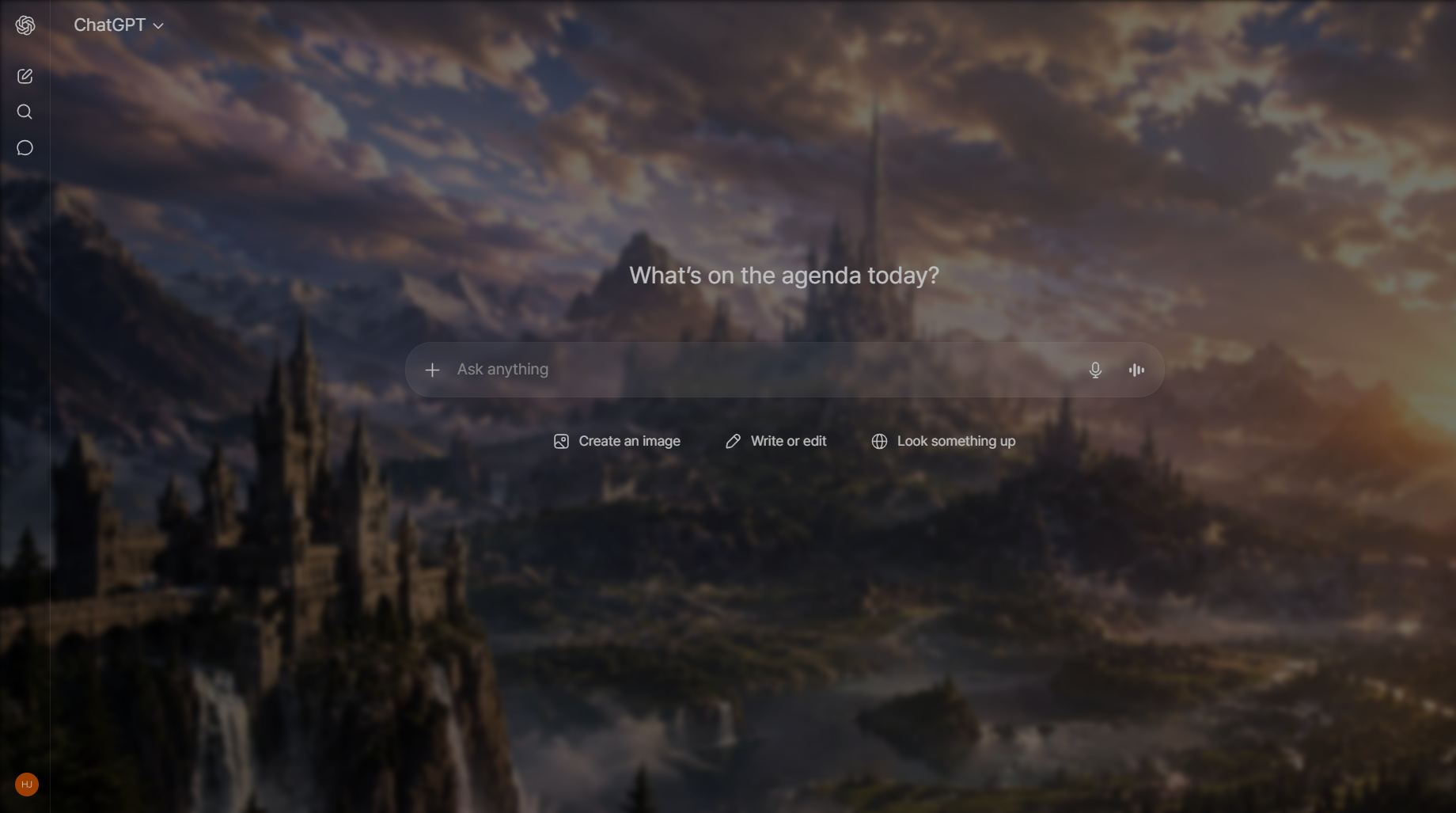
Claude를 완전히 새로운 공간으로A whole new space for Claude
기본 Claude 화면이 단조롭게 느껴지셨나요? Chroma AI는 배경, 색상, 폰트, 유리 효과를 사이드바 하나에서 조절해 Claude를 원하는 분위기로 바꿔줍니다. Find the default Claude interface a little plain? Chroma AI turns Claude into any mood you want — background, colors, fonts and glassmorphism, all from a single sidebar.
12가지 무료 프리셋12 free color presets
배경·강조·텍스트 색이 한 번에 바뀌는 큐레이션된 Claude 테마.Curated Claude themes where background, accent and text colors swap together in one click.
내 배경 이미지 업로드Upload your own background
GIF·고해상도 지원. 좋아하는 사진이나 움직이는 배경을 Claude 배경으로.GIF and high-resolution supported. Set any photo or animated wallpaper as your Claude background.
글래스 · 블러 효과Glass & blur effects
유리질감 블러, 투명도, 색상 오버레이로 세련된 Claude 화면 완성.Frosted glass blur, opacity control and color overlay for a polished Claude interface.
색만 바꾸는 게 아닙니다More than a recolor
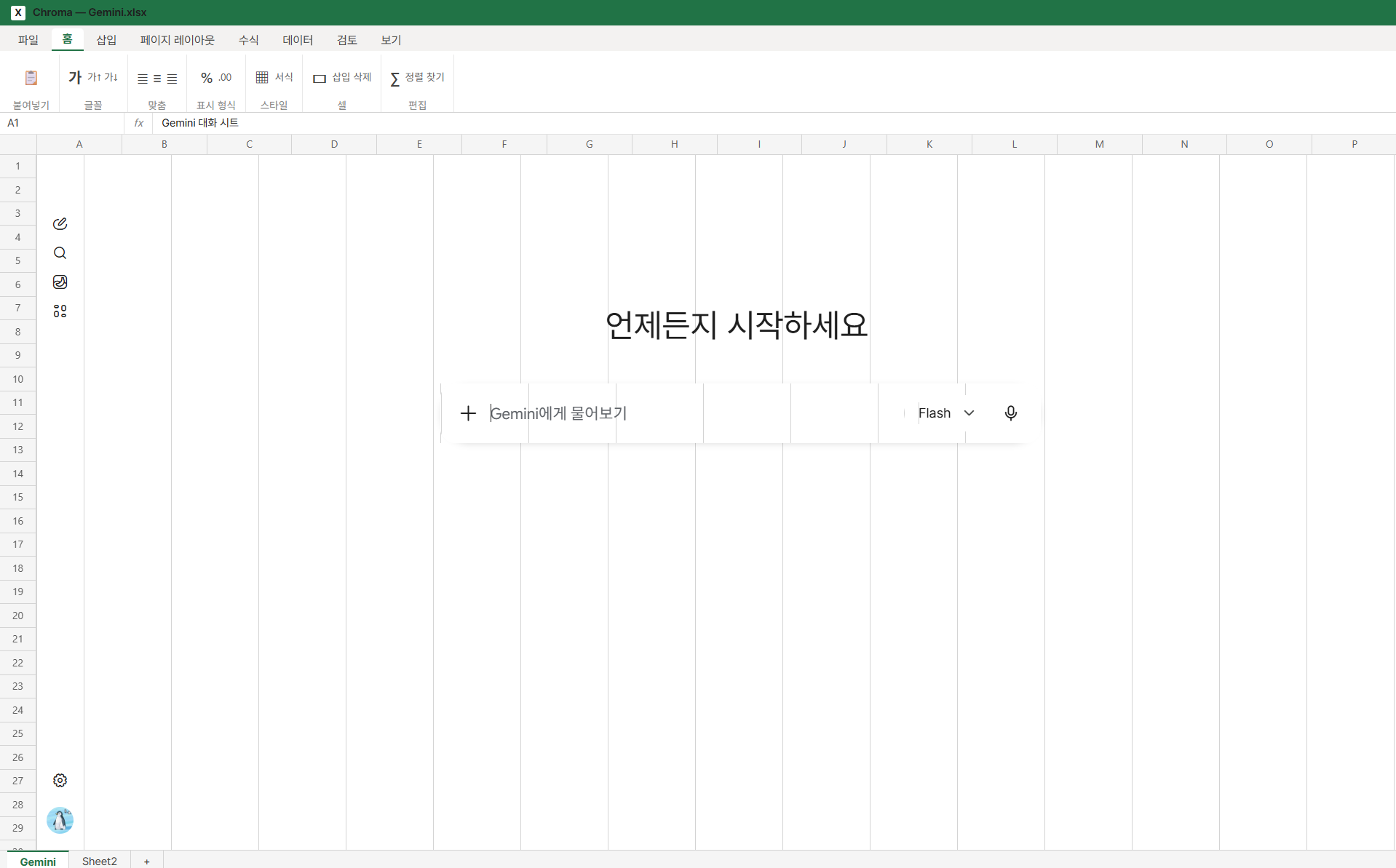
프리셋 테마로 통째로 변신Full preset makeovers
단순한 다크 테마를 넘어, Claude의 분위기를 통째로 바꾸는 커스텀 프리셋. 저장하고 언제든 다시 불러오세요.Beyond a simple dark theme — custom presets transform the whole Claude mood. Save them and reapply anytime.
- 저장 가능한 테마 프리셋 (Pro)Saved theme presets (Pro)
- 커스텀 폰트 (Pro)Custom fonts (Pro)
- ChatGPT·Claude·Gemini 동시 지원Works on ChatGPT, Claude & Gemini
3단계로 시작Get started in 3 steps
확장 설치Install the extension
Chrome 웹 스토어에서 Chroma AI를 무료로 추가하고 고정하세요.Add Chroma AI free from the Chrome Web Store and pin it.
Claude 열기Open Claude
평소처럼 claude.ai에 접속합니다.Visit claude.ai as you normally would.
테마 적용Apply a theme
아이콘을 클릭하면 사이드바가 열리고, 프리셋 선택 또는 이미지 업로드로 즉시 적용.Click the icon, the sidebar opens — pick a preset or upload an image to apply instantly.
긴 작업에 맞는 Claude 테마Setting up Claude for long sessions
Claude는 유독 긴 작업에 많이 쓰입니다. 초안 쓰기, 글 다듬기, 여러 메시지에 걸친 문제 해결처럼요. 그러면 좋은 테마의 기준도 달라집니다. 잠깐 쓰는 도구라면 화려해도 괜찮지만, 세 시간을 앉아 있는 공간이라면 편안함이 이깁니다. Claude tends to attract long-form work — drafting, editing, reasoning through a problem across many messages. That changes what a good theme looks like. For a tool you dip into for a minute, visual punch is fine. For something you sit inside for three hours, comfort wins.
- 대비를 살짝 낮추세요. 최대 대비는 오래 읽을 때 가장 먼저 피로해지는 요인입니다. 흰색을 아주 살짝 회색 쪽으로 옮기는 것만으로 체감이 달라집니다.Lower the contrast slightly. Maximum-contrast text is the first thing that tires eyes over long stretches. Softening white toward off-white is barely noticeable at a glance and significant after an hour.
- 무시할 수 있는 배경을 고르세요. 좋은 작업용 배경의 기준은 "예쁜가"가 아니라 "의식하지 않게 되는가"입니다. 그라디언트·안개·먼 풍경은 통과하고, 얼굴·글자·반복 패턴은 계속 시선을 끕니다.Choose one you can ignore. The real test isn't whether it's beautiful — it's whether you stop consciously seeing it. Gradients, mist and distant landscapes pass; faces, text and sharp repeating patterns keep grabbing you.
- 긴 글에는 유리층을 조금 더 진하게. Claude의 답변은 길어지기 쉽습니다. 대화 영역 뒤가 약간 더 불투명하면 문단을 따라가기가 훨씬 수월합니다.Give long text a more solid surface. Claude's responses run long, and a slightly heavier glass layer makes paragraphs easier to track than a barely-there one — even if the lighter setting photographs better.
- 코드 블록을 먼저 확인하세요. 문법 강조는 특정 배경 밝기를 전제로 합니다. 너무 밝거나 너무 어두운 배경은 코드 색 구분을 뭉갭니다.Check a code block before committing. Syntax highlighting assumes a certain background brightness; extremes on either end flatten the colour differences that make code scannable.
마음에 드는 조합을 찾았다면 프리셋으로 저장해 두세요. 몰입 작업용으로 맞춘 설정을 한 번의 클릭으로 되돌릴 수 있다는 점이 여기서는 특히 유용합니다. Once you find a combination you like, save it as a preset — being able to return to a setup you tuned for deep work in one click matters more here than anywhere else.
단계별 설정과 아티팩트·코드 관련 팁은 Claude 커스터마이즈 가이드에 있습니다. Step-by-step setup and notes on artifacts and code are in the Claude customization guide.
Claude 화면에서 테마가 걸리는 지점Where theming meets the Claude interface
Claude는 답변이 길고, 화면이 좌우로 갈라지는 순간이 많습니다. 이 두 가지가 다른 챗 서비스와 테마 결과를 다르게 만듭니다. Claude's answers run long, and the window splits in two more often than in other chat apps. Those two facts change what a theme does here.
- 아티팩트 패널이 화면을 반으로 나눈다. 코드나 문서가 오른쪽 패널로 열리면 배경 이미지가 절반만 보이게 됩니다. 가운데가 조용한 이미지를 고르라는 통상의 조언이, Claude에서는 "좌우 어느 쪽에서 잘려도 버티는 이미지"로 바뀌어야 합니다.The Artifacts panel splits the window. When code or a document opens on the right, your background is suddenly showing through half the width it was designed for. The usual advice about a quiet centre becomes: pick an image that still works when cropped from either side.
- 긴 글이 기본이다. 한 화면에 800~1,500단어가 흔합니다. 짧은 대화에서는 못 느끼던 미세한 대비 부족이 여기서는 몇 분 만에 드러납니다. 본문 대비는 넉넉하게 잡는 편이 안전합니다.Long-form is the default. Eight hundred to fifteen hundred words on screen is normal, and a marginal contrast ratio that survives short exchanges becomes obvious within minutes here. Give body text more contrast headroom than you think you need.
- 여백이 디자인의 일부다. Claude 인터페이스는 면과 여백으로 구조를 만듭니다. 배경 이미지를 강하게 깔면 그 구조 신호가 먼저 사라져서, 어디까지가 한 덩어리인지 읽기 어려워집니다.Whitespace is doing structural work. Claude's layout separates things with surface and space rather than borders, so a strong background erases the structure first — it becomes hard to see where one block ends and the next begins.
- 프로젝트를 쓰면 사이드바가 길어진다. 프로젝트와 대화가 함께 쌓이는 목록이라, 항목 간 구분선이 배경에 묻히지 않는지 확인하세요.Projects make the sidebar taller. Projects and conversations stack in the same list, so check that the dividers between entries don't disappear into your background.
자주 묻는 질문Claude theme FAQ
Q. Claude 배경을 어떻게 바꾸나요?Q. How do I change the Claude background?
무료 Chroma AI 확장을 설치하고 claude.ai를 연 뒤 Chroma AI 아이콘을 클릭, 프리셋을 고르거나 이미지를 업로드하면 배경이 즉시 바뀝니다.Install the free Chroma AI extension, open claude.ai, click the Chroma AI icon, then pick a preset or upload an image — the background changes instantly.
Q. Claude 테마는 무료인가요?Q. Are Claude themes free?
네. 색상 프리셋·이미지 배경·글래스 효과는 무료입니다. Pro는 프리셋 저장과 커스텀 폰트를 추가로 제공합니다.Yes. Color presets, image backgrounds and glass effects are free. Pro adds saved presets and custom fonts.
Q. 안전한가요? 대화를 읽나요?Q. Is it safe? Does it read my conversations?
아니요. Chroma AI는 화면 외관만 클라이언트에서 바꿉니다. 대화를 수집·전송하지 않으며 설정은 브라우저에 로컬 저장됩니다.No. Chroma AI only changes the visual appearance on the client side. It never collects or transmits conversations, and settings are stored locally in your browser.
지금 Claude를 꾸며보세요Theme your Claude today
무료로 설치하고 1분 안에 첫 테마를 적용해보세요.Install free and apply your first theme in under a minute.
Chrome에 무료 추가Add to Chrome — FreeClaude 테마 확장은 왜 이렇게 찾기 어려울까 Why Claude theme extensions are so hard to find
Claude 테마를 검색하면 대부분 VS Code 색 테마, userstyles 스타일시트, Firefox 전용 애드온, 혹은 기능이 한두 개뿐인 소형 확장이 나옵니다. ChatGPT 쪽에서 가장 많이 쓰이는 커스터마이즈 확장인 StylerGPT와 GPThemes는 둘 다 ChatGPT 전용이라 claude.ai 에서는 아무 동작도 하지 않습니다. Search for a Claude theme and most results are VS Code color themes, userstyles stylesheets, Firefox-only add-ons, or small single-purpose extensions. The two most popular ChatGPT customization extensions, StylerGPT and GPThemes, are both ChatGPT-only — neither does anything on claude.ai.
Chroma AI 는 ChatGPT · Claude · Gemini 세 곳에서 함께 동작하고, 사이트마다 테마를 따로 저장합니다. ChatGPT 를 어둡게 두고 Claude 는 밝게 쓰는 식으로 나눌 수 있고, 배경이 다르면 여러 탭을 띄워놓고도 어느 탭인지 한눈에 구분됩니다. Chroma AI works across ChatGPT, Claude and Gemini, and stores a separate theme for each site. You can keep ChatGPT dark while Claude stays light, and different backgrounds make it obvious which tab you're in when several are open.